 Dealership Workflow
Deal workflow software for car dealerships
The online Manila folder
Every deal folder online, live while the deal is still moving — between your CRM and your DMS.
30 minutes with the founder, on your store’s real deal flow.
Dealership Workflow is deal workflow software for franchise and independent car dealerships. It replaces the paper deal jacket with one online folder per deal that sales, F&I and the office share: status, role checklists, scanned and e-signed documents, contracts in transit, titles and F&I cancellations, tracked from deposit to funded.
- Run daily at a franchise + independent dealer group
- Built by a founder with 27.5 years in the car business, 24 in F&I
- Works in any browser, on any phone
- The core platform doesn’t need a DMS connection
Work the deal
How does Dealership Workflow keep every deal moving?
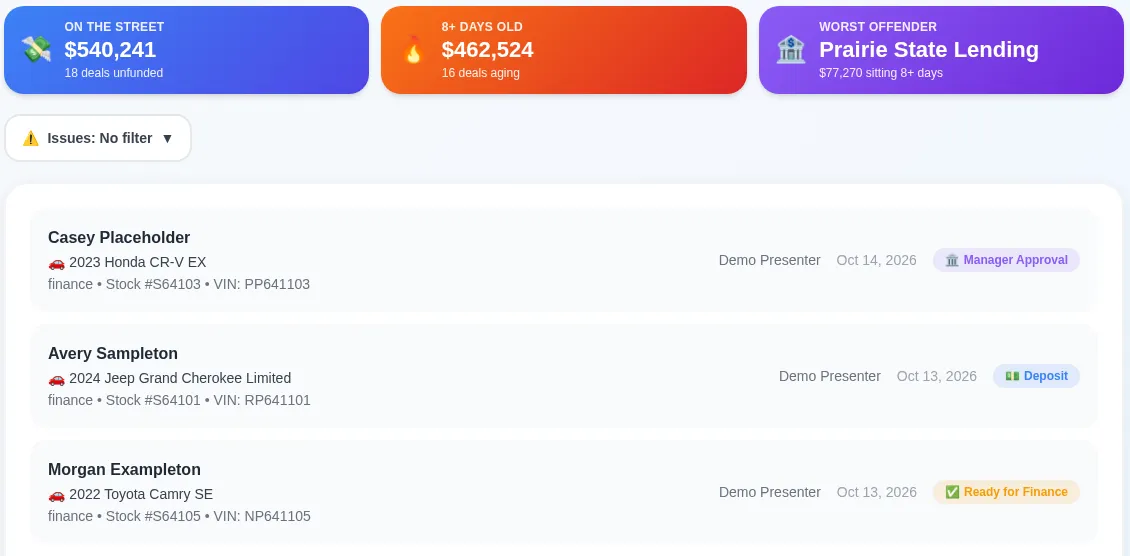
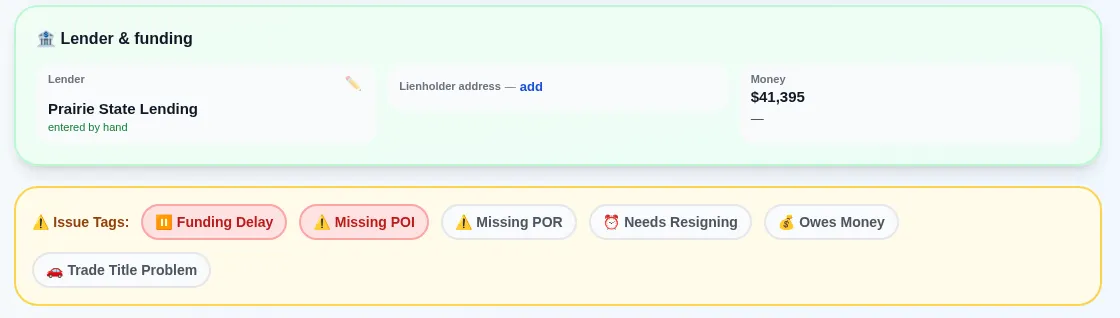
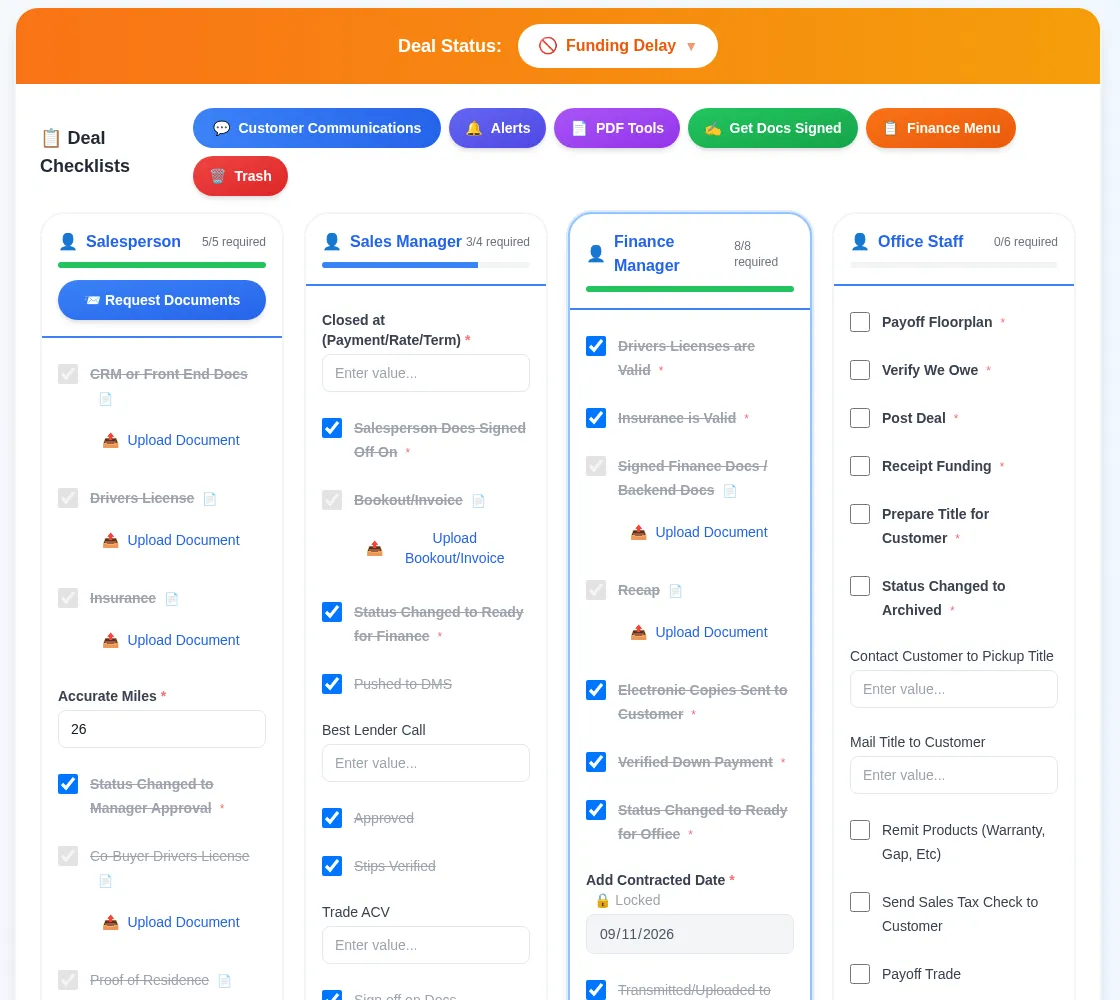
Every deal gets one online folder with a status, role checklists and issue tags, so anyone in the store can see what is missing without walking the building looking for a jacket.
Deal board
Every open deal by status, from deposit to funded, on any screen.
Role checklists
Sales, desk, F&I and office each see their own required items and uploads on every deal.
Issue tags
Missing proof of income, needs re-signing, funding delay: the tag stays on the deal until someone clears it.
Deal numbers
Every folder carries its own deal number, and a stock number already on an open deal gets flagged before a second folder starts.
Mobile scanning + AI reading
Scan paperwork with a phone camera. AI reads the documents and fills in the deal, and a person checks what it read.
Scan documents
Read from the scans — check before saving
Paper the deal
How do documents and signatures get into the deal folder?
Customers upload their own license, insurance and stips from a link, sign before they arrive, and every signed document lands in the deal folder with an audit certificate.
Customer upload links
Send one link; the customer uploads license, insurance and stips from home.
Pre-arrival e-signing
Paperwork that can be signed before the customer walks in, is.
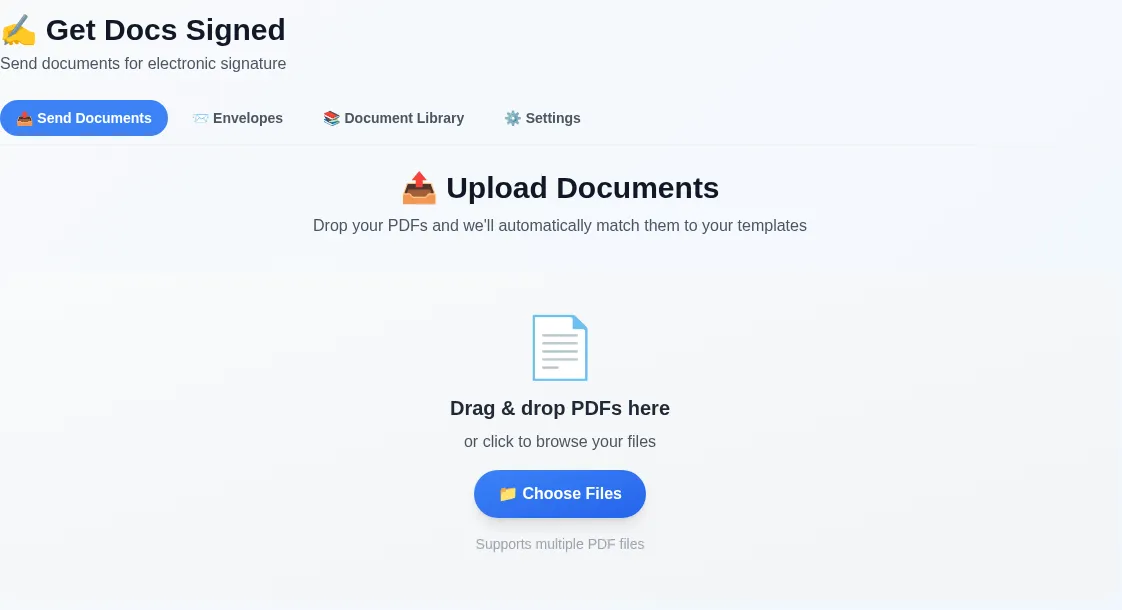
Get Docs Signed
Send any PDF for electronic signature and keep the audit certificate with the deal.
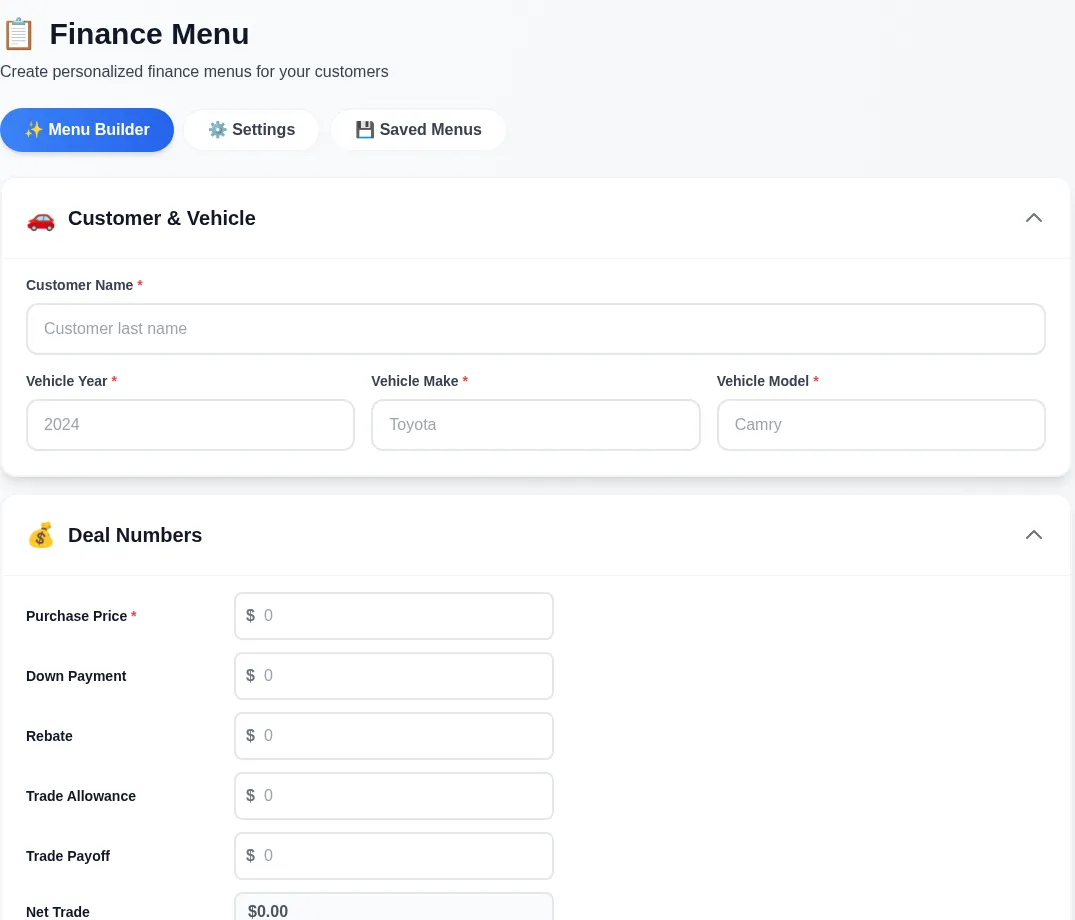
Finance menu
Build and present F&I menus from the deal numbers.
PDF tools
Merge, split and fix PDFs without leaving the browser.
Watch the money
How does it show where the money is stuck?
Contracts in transit age by the day, lenders get a funding scorecard, titles count down to the state deadline, and every F&I cancellation is tracked until the refund is paid.
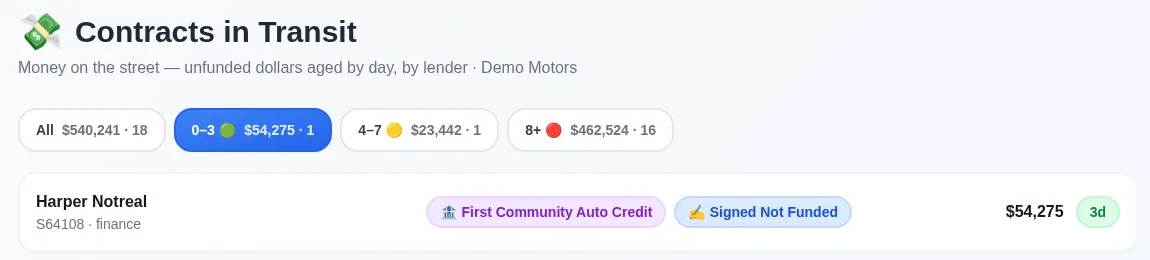
Contracts in transit
Unfunded deals in 0–3, 4–7 and 8+ day buckets, with lender and amount.
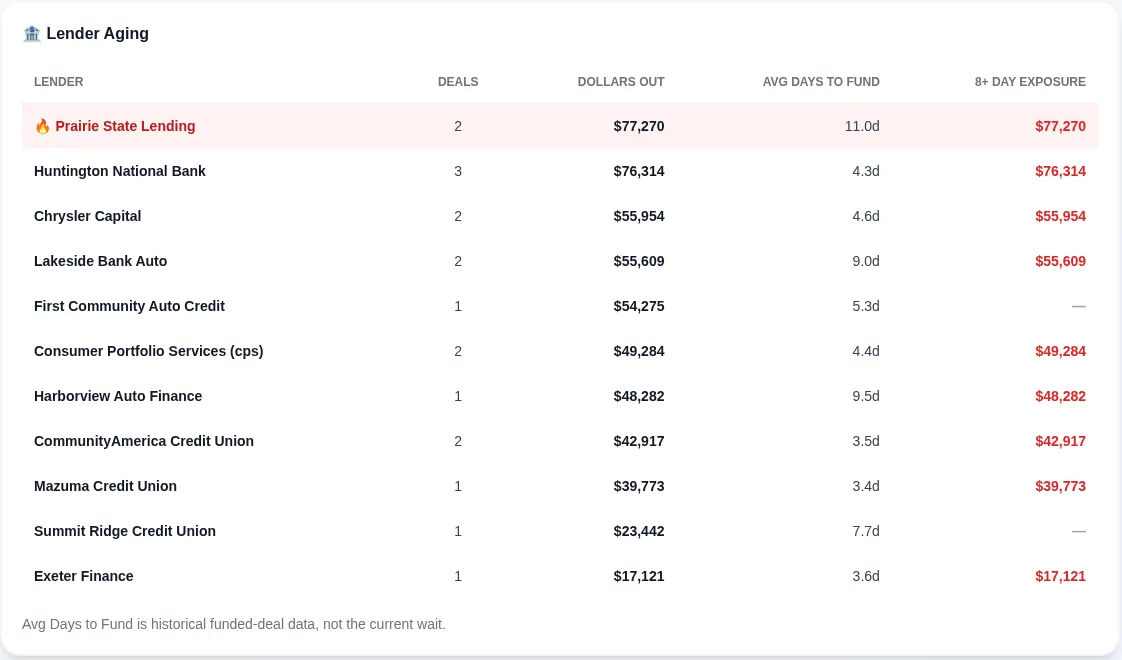
Read more about Contracts in transit →Lender scorecard
Deals out, dollars out and average days to fund for every lender.
Title tracker
Each title deal counts down to your state’s deadline.
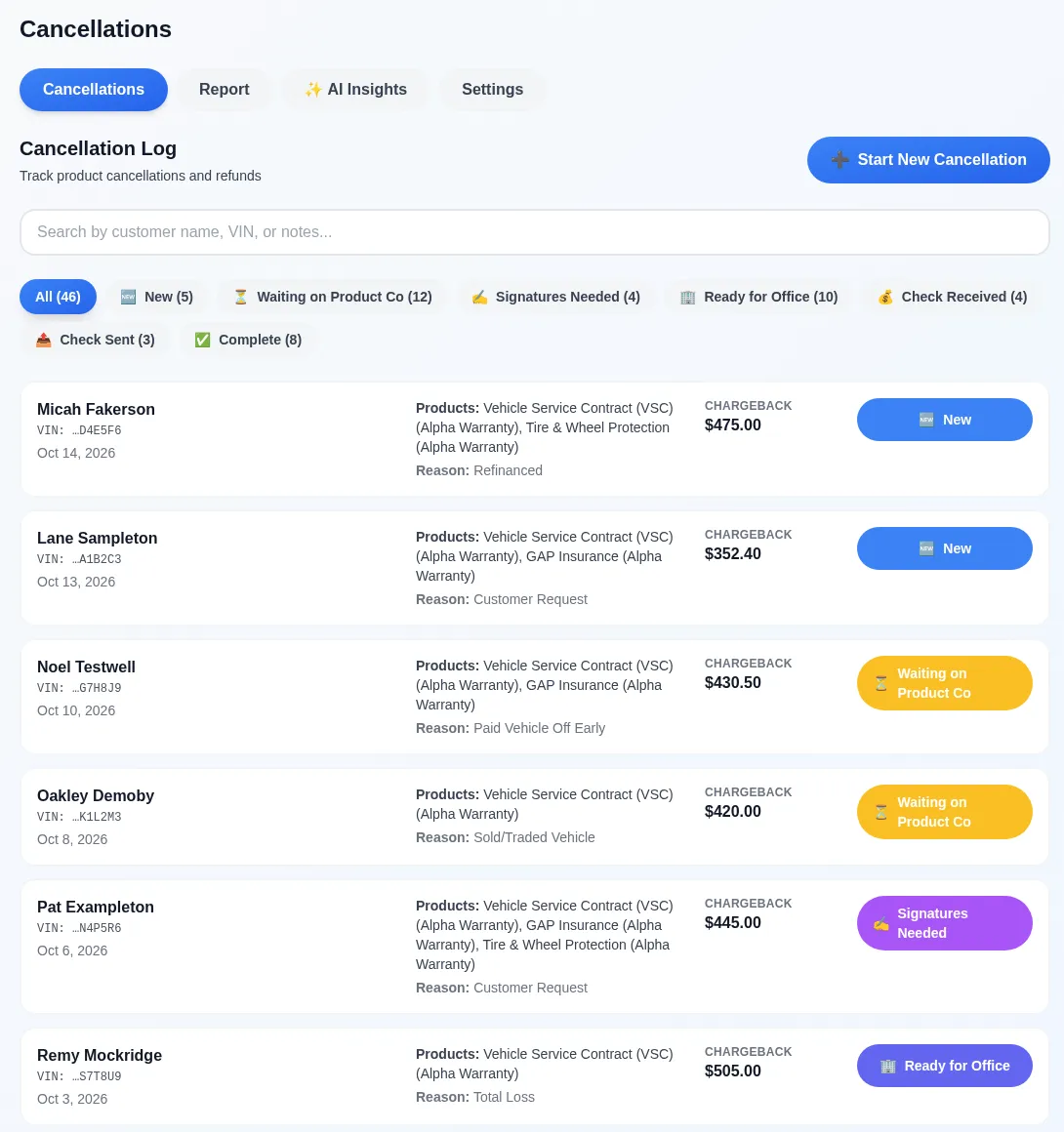
F&I cancellations
From the request to the refund check, with chargeback amounts and status.
Read more about F&I cancellations →Recap reports
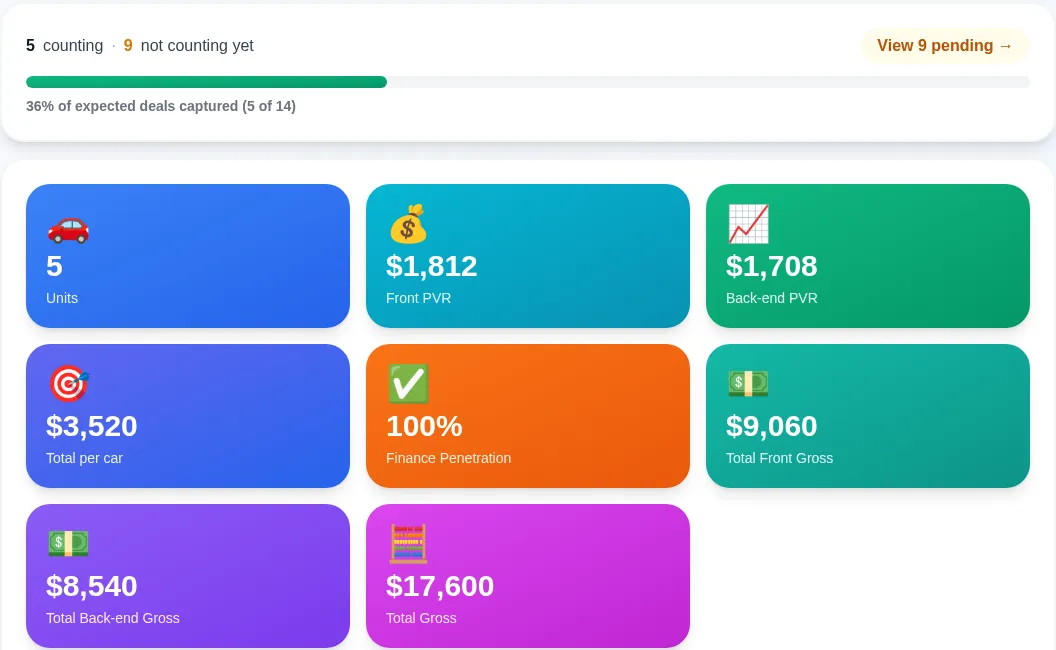
Units, front and back-end PVR, finance penetration and gross for the month.
Why it matters: every day a contract sits in transit is another day of floorplan carry. A cancellation nobody chases is a refund the store never collects. And two offices keeping the same paper means paying for the same seat twice.
 (opens the full-size image)
Title tracker
State deadline countdown from the sale date
Sample Customer A
Stock S64122 · Ready for title clerk
Sample Customer B
Stock S64123 · Ready for title clerk
Sample Customer C
Stock S64124 · Ready for title clerk
Edge cases
Built for real dealership edge cases
The jobs generic software skips are the ones that cost a store time and money. These are built in.
Missouri temp tags and lien filing
A Chrome extension fills the Missouri temp-tag and lien-filing websites from the deal record. More states can be mapped.
Read more →Dealer trades
Log units traded between stores in your group: inventory, DMS posting, the money transfer, and what is still owed.
Read more →Loaner agreements
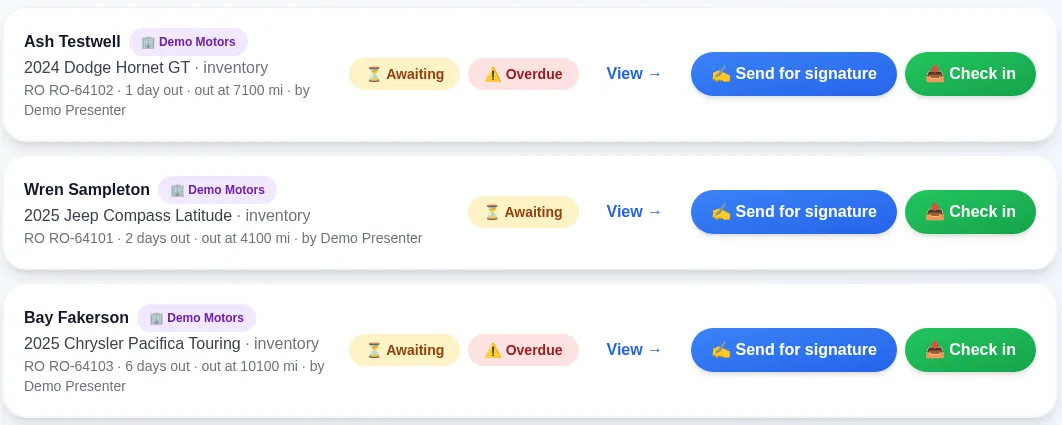
Sign loaner agreements on screen, see days out and miles out, and check vehicles back in.
Read more →Form 8300 from the deal
Cash over $10,000 on a deal? Fill Form 8300 from the deal record, with the due date and the FinCEN filing steps.
Read more →D.E.A.D. mistake checks
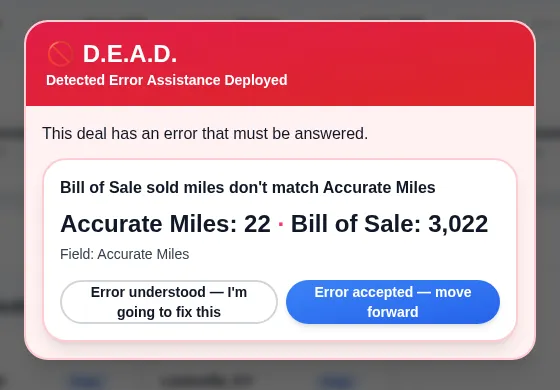
Catches deal mistakes, like odometer miles that don’t match the bill of sale, before the deal leaves the building.
Read more →Voice notes
Talk instead of type: dictate deal notes from your phone and they land on the deal as text.
Read more →
 (opens the full-size image)
Dealer trades
Units in and out, and who owes what
2024 Sample SUV
Sent to Sister Store
2025 Sample Sedan
Received from Sister Store
2023 Sample Truck
Sent to Sister Store
Form 8300 and title-deadline tools support your own filing work. We’re not lawyers; your store and its advisors decide what gets filed.
Also included: team chat, in-app support tickets, PDF tools, and customer review requests.
Optional add-on: DMS dashboards, Customer Intelligence and email campaigns, for stores that connect their DMS data. About the DMS add-on →
Run your own numbers
How much is the paper costing your store?
It shows up in three places: days a contract sits in transit, cancellation refunds nobody chases, and office seats doing the same paper twice. Put in your store’s numbers; the math updates as you type.
Carry = amount financed × rate ÷ 365, per deal, per day. Seats are yearly cost ÷ 12. A planning estimate, not an accounting statement.
- Floorplan carry from faster funding$789 a month
- Cancellation refunds collected$1,200 a month
- Shared office seats$0 a month
Money at stake for your store
$1,989 a month
≈ $23,868 a year
From the stores
What do people in the store say about it?
"I don’t walk the building looking for jackets anymore. I open my phone and I know where every deal in the store stands."
Danny W. · General Manager "Deals hit my office clean. The stips are caught on the sales side before I ever print a contract — that alone changed my funding."
Larry V. · Finance Director "It's the first system my salespeople actually use. Scan it, tag it, done — nothing gets lost between the desk and finance."
Marissa M. · Sales Manager "I send the customer one link and their license, insurance, and stips are uploaded — even signed — before they walk in. The deal's half done from their kitchen table."
Sofia R. · Sales "Month-end used to mean chasing paper across two rooftops. Now I close both stores from one screen — and I can see every dollar still sitting at the bank."
Sable H. · Controller
Security
How is customer data protected?
Customer documents stay in private, store-only storage and open only through signed links that expire within an hour. These tools support your FTC Safeguards Rule program.
Store-only private storage
Deal documents live in private storage. The app keeps where each file is stored, never a public link to it.
Links that expire
Opening a document creates a signed link that expires within an hour. A forwarded link stops working.
Each store sees only its own deals
Every query is scoped to the store, and database row security backs it up.
Audit log
Logins, views, uploads, downloads, edits and status changes are logged with who and when.
Device verification
A new device has to pass an emailed code before it sees store data.
We’re not lawyers and can’t certify your program. The tools support the work; your store and its advisors own it.
Who built it
Who built Dealership Workflow?
William, the founder, built it from the F&I office and still runs dealerships on it every day.
- 27.5 years in the car business
- 24 years in F&I
- 25,000+ deals worked personally
- Director of Operations today, running dealerships on the platform daily
"27 and a half years in the car business, 24 in finance, over 25,000 turns taken. I didn’t retire from the store to go sell software — I’m a Director of Operations today, running dealerships on this platform every day. This isn’t Silicon Valley software designed by people who’ve never worked a deal. It’s built by someone doing your job, for people doing your job."
FAQ
Frequently asked questions
What is Dealership Workflow?
Dealership Workflow is deal workflow software for car dealerships: one online deal folder per deal, shared by sales, F&I and the office, with statuses, role checklists, scanned and e-signed documents, contracts in transit, titles and F&I cancellations.
How much does Dealership Workflow cost?
Dealership Workflow is priced per rooftop, with unlimited users, month to month, and the core platform doesn’t need a DMS connection. You get an exact quote on a 30-minute demo with the founder.
Do I need to replace my DMS?
No. Your DMS books deals and runs accounting, and it stays. Dealership Workflow runs the working deal around it: documents, signatures, checklists, funding visibility, titles and cancellations.
What about my CRM?
Keep it. Your CRM manages leads and follow-up; Dealership Workflow picks up when the deal is sold and the paper starts moving.
Does it work for a dealer group with more than one rooftop?
Yes. Group accounts put every rooftop in one login, so office staff can switch stores and work deals from anywhere instead of from the building where the paper is.
Does it work on a phone?
Yes. It runs in any browser, and salespeople scan documents, check deal status and add notes from a phone.
Does it help with the FTC Safeguards Rule?
It supports your Safeguards program with private document storage, expiring links, an audit log and device verification. We’re not lawyers and can’t certify your program.
How do I get started?
Book a 30-minute demo with the founder. You’ll see your own deal flow in the software and get an exact quote for your rooftops.
Ask our AI assistant
Instant answers about features and fit.
See your own deal flow in it
A 30-minute demo with the founder, built around how your store works deals today.
Book a DemoPriced per rooftop · unlimited users · month to month · the core platform doesn’t need a DMS connection · exact quote on a 30-minute demo with the founder.
Last updated: